
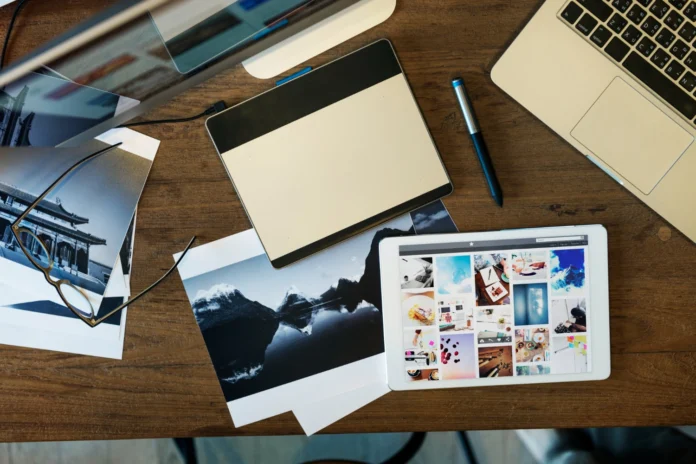


A photo album is more than a collection of pictures. It is a visual story. A wedding album, family album, travel book, portrait portfolio, or client keepsake should feel organized, emotional, and easy to enjoy from the first page to the last.
Good album design does not happen by placing every favorite image on a page. It comes from careful selection, clean layouts, balanced pacing, and a clear sense of purpose. The best albums guide the viewer through a moment, event, or memory without feeling crowded or confusing.
Table of Contents
Start With the Story
Before choosing layouts, colors, or page sizes, decide what the album should communicate. A wedding album may tell the story of the day from preparation to ceremony to celebration. A family album may focus on a year of memories. A travel album may follow the route from one destination to the next.
The story gives the album structure. Without it, even beautiful photos can feel random. Start by grouping images into sections. For example, a wedding album may include getting ready, first look, ceremony, portraits, reception details, speeches, dancing, and final moments.
A family album might be organized by season, child, holiday, milestone, or theme. A business portfolio may be grouped by project type, location, client style, or service category.
Select Photos Carefully
One of the hardest parts of album design is choosing what to leave out. Many people want to include every good photo, but too many images can weaken the final result. A strong album needs breathing room.
Choose images that add something meaningful. Include wide shots to set the scene, medium shots to show interaction, and close-up images for emotion and detail. Avoid repeating too many similar photos unless the sequence adds value.
The Library of Congress shares useful guidance on keeping personal digital photographs, including organizing and preserving photo files. Good organization before design makes the album process easier because you can find your strongest images faster.
Create a Natural Flow
A well-designed album should feel smooth as the viewer turns each page. The order should make sense emotionally and visually. Start with a strong opening image. It can be a quiet scene-setter, a powerful portrait, or a wide photo that introduces the event or place.
Use page turns intentionally. A dramatic image often works well after a page turn because it creates surprise. Quiet moments can give the viewer a pause between more energetic sections. Avoid placing too many busy spreads back to back.
Think of the album like a movie. It needs an opening, rhythm, emotional peaks, slower moments, and a satisfying ending.
Keep Layouts Clean and Balanced
Simple layouts often look more professional than crowded ones. A page with one strong photo can be more powerful than a page filled with six average images. White space is not wasted space. It gives the eye room to rest and helps important photos stand out.
Use consistent margins, spacing, and alignment. If every spread uses a completely different style, the album can feel messy. A consistent design system creates a polished look while still allowing variety.
Adobe offers helpful ideas for planning a photo book, including gathering images, building structure, choosing layout, and refining the design in its guide to photo collage book design. The same basic principles apply to many types of albums.
Use Software to Save Time and Improve Consistency
Album design can become time-consuming when every spread is created manually. Cropping, aligning, spacing, resizing, and exporting pages can take hours, especially for photographers or designers handling multiple projects.
Using photo album design software can help organize the process and keep layouts consistent. It can also make it easier to test different arrangements, review spreads, and prepare albums for delivery or printing without starting from scratch every time.
Software does not replace creative judgment. The designer still needs to choose the right images and tell the story well. But the right tool can make the technical side smoother and reduce repetitive layout work.
Pay Attention to Image Quality
A photo may look fine on a phone but not hold up well in print. Before placing images in an album, check sharpness, exposure, color, cropping, and resolution. Blurry or heavily compressed images may look weak once printed.
Be careful with screenshots, social media downloads, and images sent through messaging apps. These files may be smaller than the original and may not print clearly. Whenever possible, use original high-resolution files.
Color consistency also matters. If some images look warm, others look cool, and others look overly saturated, the album may feel uneven. Basic editing before layout can help the final book feel more cohesive.
Design for the Final Format
An album should be designed with its final size and format in mind. A square wedding album, horizontal travel book, and small family photo book each need different layout decisions. A spread that looks good on a large album may feel cramped in a smaller size.
Consider trim edges, center folds, and safe zones. Avoid placing important faces, text, or details too close to the edge or directly in the fold. Full-spread images can look impressive, but only if the main subject is not lost in the binding.
If the album will be printed professionally, check the printer’s file requirements before exporting. Page size, bleed, color profile, file type, and resolution can all affect the final result.
Add Text Sparingly
Text can help an album feel personal, but too much text can distract from the photos. Short captions, dates, locations, names, or section titles may be enough.
For family and travel albums, small notes can preserve memories that may be forgotten later. For wedding albums, text is usually best kept minimal unless the couple wants vows, speeches, or meaningful quotes included.
Use readable fonts and keep styling simple. The text should support the photos, not compete with them.
Also Read: Cadillac Lyriq Tour Mode vs Sport Mode: Which Should You Use?
Final Thoughts
A strong photo album combines storytelling, image selection, clean layouts, and thoughtful pacing. It should feel easy to look through, not overloaded with every possible photo.
Start with the story, choose images with care, keep spreads balanced, and design for the final printed format. With the right process and tools, a photo album can become more than a keepsake. It can become a polished visual record that people return to for years.